What is it?
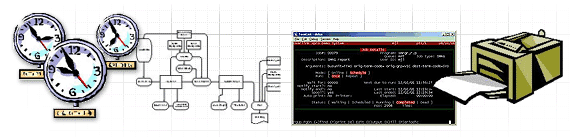
The XPRO Job Scheduler and Print Spooler (or “XJOB”, as we refer to it) is a fully-fledged module to schedule and run your application batch jobs when and where you want.  Output from these batch jobs is collected online in the print spooler, from where it may be viewed or printed to any available printer.

XJOB is provided as a source module ready to embed into your application.

- Written specifically for Progress applications
- Full XPRO security over all functions
- Designed from day one for multi-user access
- Easy to use job scheduling screen
- Message system
- Multiple job queues
- Multiple simultaneous jobs per queue (when required)
- Management of inter-dependent jobs
- Automatic rescheduling with extensive calendar facility
- Stationery management
- Automatic font and landscape/portrait selection
- Supports embedded generic printer controls
- Multiple application systems can share the same spooler
- Full accessible status information for easy administration
- Automatic recovery from job crashes
- Job crash logs kept for post mortems
- Consistent industry standard XPRO user interface
- Local phone and modem support

What's in it for me?


Manager

XJOB is a cost effective way to provide significant value to your applications.  Many systems use fragile, complicated scripts and operating system tools to manage batch schedules; XJOB is a far simpler and more flexible alternative.

Development is cheaper, because you’ve plugged in all this easy to use functionality.

Using XJOB is basically a case of installing it, configuring it, and then just running – there are no ongoing maintenance or administration costs.


System Administrator

You can easily monitor what is scheduled or currently running via the XJOB inquiry screens.  You can adjust system load at any time by changing the queue parameters.

To further assist load management, you can define whether specific jobs may be run online, or must be run in batch mode; what queue they will run on, and when those queues operate.

The XPRO user security features used by XJOB ensure that your people get access to the parts of the system they need without being distracted by parts they don’t.


Users

As an end user, it is very easy to schedule batch jobs to run online, or in background at a future date and time.

Optional popup messages tell you when your job starts, when it finishes, and (gasp!) if it crashed.

Viewing the results of your job is just as simple.


Operations

With XJOB, your computer system will better support your enterprise.  Jobs will run when they should run.  Having to re-run reports because the printer jammed is now a thing of the past, with the XJOB Print Spooler allowing output to be viewed online, or redirected to any available printer.

The scheduling calendar lets you plan a job to run say on the final Friday of each month, and to wait for another specific job to complete before it starts.


Tech Support

The XJOB user interface is extremely simple, so users will have no difficulty using it.  So no support calls!

And the XJOB security system will keep users out of areas they don’t need to know about, so they won’t get confused, or start changing configurations that they shouldn’t.


Programmers

XJOB is so easy to embed in your application!  Scheduling a batch program requires about 4 lines of code, and then it all just happens.  A great payoff for minimum effort.

You don’t have to code for reprocessing after printer failures – they’re no longer an issue.

What does it run on?
XJOB runs on all Unix-based platforms, plus OS2.  We port to other platforms as required.

What do I get?
The XPRO Job Scheduler and Print Spooler is supplied as a source code module, ready to be embedded into your application.  Like all Overlink products, we install it on your machine, and provide documentation, initial configuration, and basic training (and that’s all the training you’ll need!).  The XPRO runtime system is also required, to provide menu and security infrastructure.

Whom do I contact?
Call Michael Lemaire on +61 411 724 297, or via email at michael@overlink.com.au.

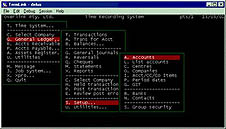
SCREEN SHOTS
.
SCREEN SHOT #01
SCREEN SHOT #02
SCREEN SHOT #03